GoFormz Integrations

Extend the value of Procore with data that flows both ways

Bridge the gap between project sites and Procore. Route completed field form data directly into Procore, with live Procore data flowing back into forms automatically. No manual re-entry. No delays.
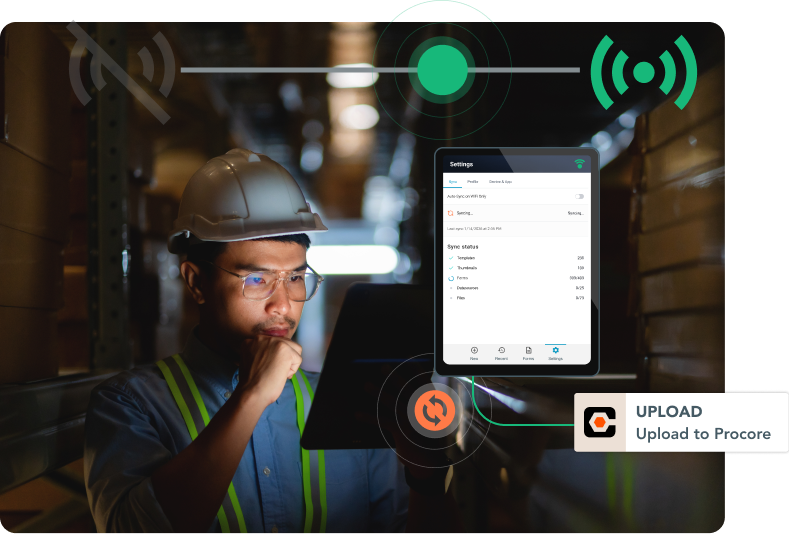
Field crew member submitting a GoFormz form that routes directly into Procore.

The Problem

Field data shouldn't stall on its way to Procore

Relying on static forms and manual re-entry to get field data into Procore creates too many opportunities for things to slip. Crews fill out a form on site. It sits in a truck, an inbox, or a stack on someone's desk before anyone re-keys it by hand. By the time it reaches Procore, it's stale, incomplete, or it never shows up at all.

The hidden cost of the field-to-office barrier

Where field work meets Procore, today
PDFs capture the work. They don't move it.

Procore is the system of record for the job. But what happens on site — inspections, punch lists, JSAs — is complex, multi-step work that a static form can't fully capture on its own. Waiting for that paperwork to come back from the field and get re-keyed by hand slows the whole operation down, and adds risk along the way.

Why it matters to the bottom line
The lag between your field and the office isn't a tech problem. It's a business problem.

Every second of lag and manual re-entry error compounds the decisions your project managers are making based on incomplete, outdated, or inaccurate data. Punch lists that are weeks behind. Safety records that don't exist in the system. T&M that never reached billing. The burden falls on office staff. The cost shows up in margins.

The Solution

Close the gap with
Procore + GoFormz

Structured field data flows in.
Live Procore data flows back — automatically.

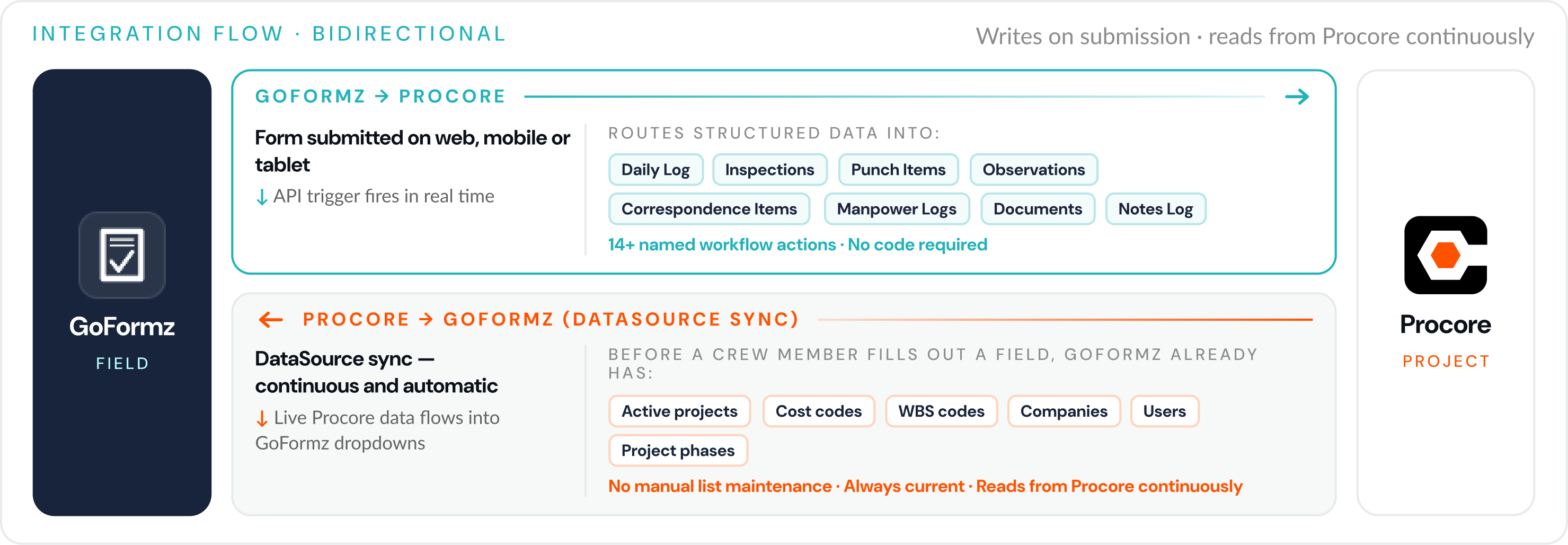
GoFormz is a modern, digital solution that's designed for complex field data and workflows. Give crews a reliable way to document work as it happens using the same forms they already know, on their own device. When they hit submit, structured field data automatically syncs to the right Procore module, as configured by you — no code required. And GoFormz automatically pulls live Procore data back into form fields for faster, easier filling with more accurate project info. Procore is a major investment, and most teams only see a fraction of its value if the field never fully connects to it. GoFormz closes that last stretch for a fraction of the cost.

Bidirectional integration flow: GoFormz writes to Procore on submission and reads live Procore data continuously.

The Conlan Company

Since activating the Procore + GoFormz integration, The Conlan Company has achieved:

Automation
100%
No manual uploads — submissions route directly into the right Procore project folder
Admin time
75%
Superintendent daily admin time drop, from 2 hours to 30 minutes
Scale
250k
Form actions synced into Procore in just 90 days

"All they have to do is scan a QR code, complete the form, and then that form gets routed directly into a project folder in Procore."

How it works

Three steps close the field-to-Procore gap

1
Connect
Set up the integration from the GoFormz Workflows tab — no development skills required. GoFormz starts pulling live Procore project data into your form dropdowns automatically, from day one.
2
Capture
Field crews complete GoFormz forms on any device, even on remote job sites with no signal — no Procore account required. Subcontractors can submit via QR code, texted, or emailed link.
3
Route When a crew member hits submit, GoFormz routes structured data into the right Procore module, like Daily Logs, Inspections, Punch Items, and more.
See the integration in action

Built-in benefits

The missing link for Procore environments

Structured field data + zero manual re-entry

Offline-first capture Works on remote job sites with no signal

GoFormz works offline on iOS, Android, and Windows, with data syncing automatically to Procore as soon as connectivity returns. No more worrying about incomplete records from sites where Procore doesn't reach.

Live Procore data in every form Forms pre-populate with live Procore data

GoFormz pulls active projects, cost codes, companies, users, and WBS codes from Procore directly into form dropdowns. Before a crew member fills out a single field, the right Procore data is already there — always current, automatically.

Your exact forms, not a redesign JSAs, OSHA logs, and custom forms, replicated exactly

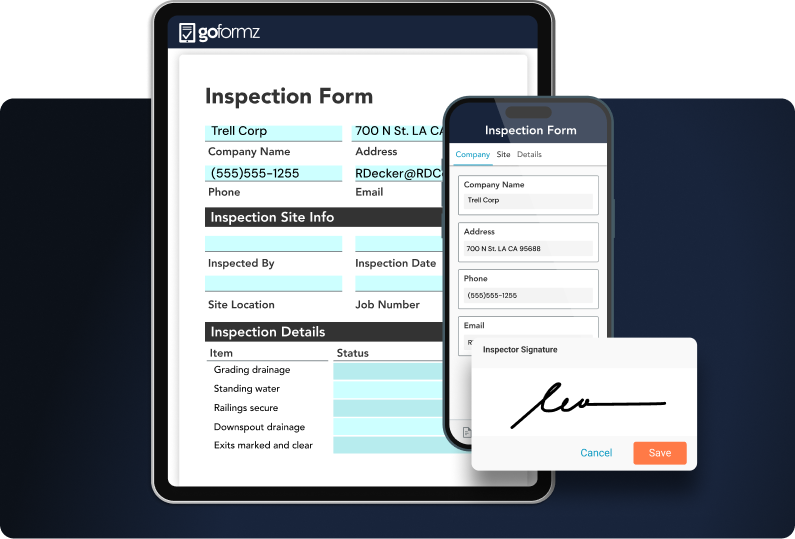
GoFormz replicates your existing paper forms field for field, whether it's a JSA, an OSHA log, or something your team built in-house. Crews use the same layout they already know, on a phone or tablet — no new form to learn and no retraining required.

Enterprise-ready platform Built for enterprise construction scale and compliance

Azure infrastructure with a 99.9% uptime SLA. GoFormz is a certified Procore App Marketplace partner — 100+ joint enterprise customers and 8+ years of integration maturity.

No Procore account required Field crews and subcontractors never log into Procore

Crews complete GoFormz forms on their phone or tablet. Subcontractors and external workers submit via QR code — no Procore license, no app download, no provisioning. Data reaches Procore every time they hit submit.

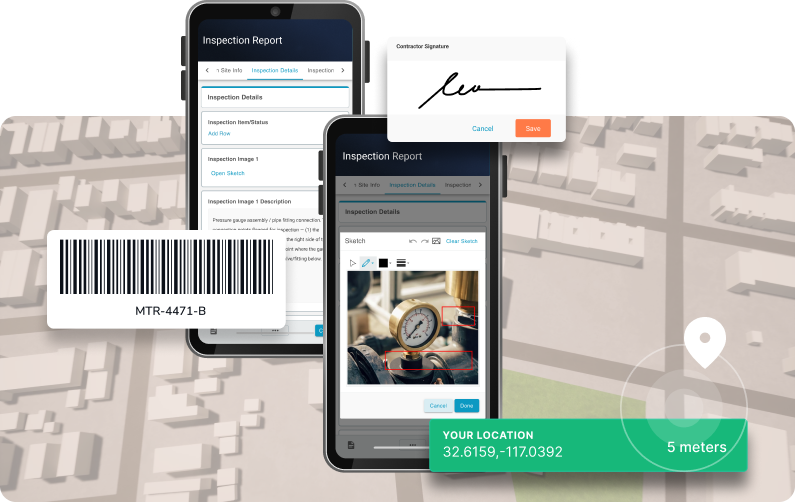
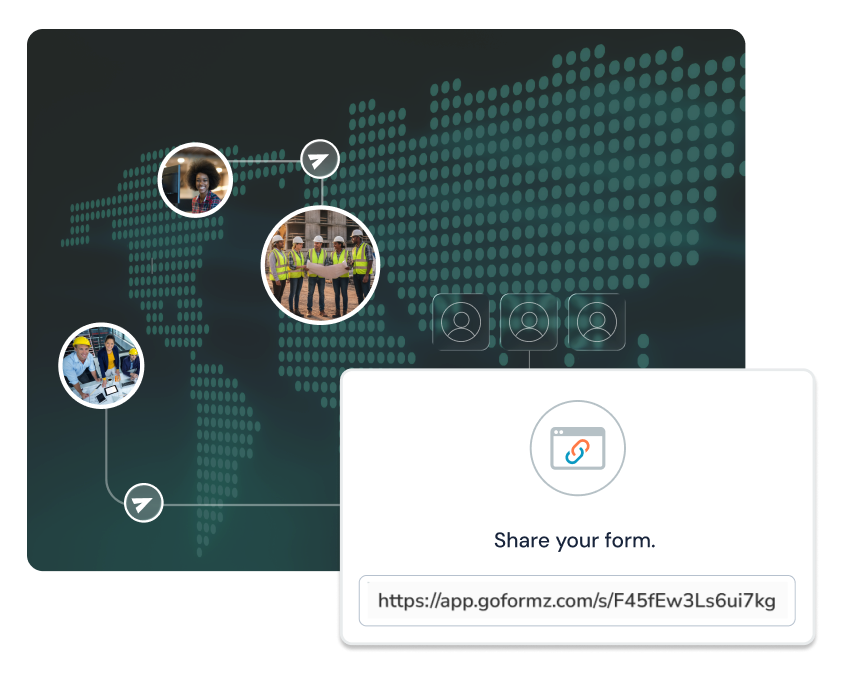
Worker with a tablet showing GoFormz sync status. GoFormz inspection forms with signature, barcode, and GPS location. GoFormz inspection form with a signature capture. Worker using a tablet in the field with security icons. World map with a panel showing a shareable GoFormz form link.

Use Cases

How GoFormz extends the value of Procore

What the GoFormz + Procore integration looks like in action.

When you do this in GoFormz This happens automatically
Daily construction reports A superintendent submits a daily construction report in GoFormz. Structured data tracking crew count, weather, work performed, materials, and notes routes to the Procore Daily Log. The project manager's Procore record is current the moment you hit submit — not the next day.
Safety inspections Inspection forms with photos, signatures, and required-field validation automatically create a Procore Inspection object that reflects exactly what was captured in the field. No manual export, no upload step.
Punch items Each submission creates a Punch Item in Procore, complete with status, location, assignee, trade, and attached photos. The project manager's Procore punch list stays current in real time, without chasing field crews for updates.
T&M billing T&M tickets route directly into Procore Manpower Logs and cost codes. Billing data reaches the right place the same day the work is performed — no end-of-week reconstruction, no undocumented labor.
JSA / safety documentation Completed JSAs and safety forms route into Procore Observations, automatically capturing timestamped location data and crew sign-off. Safety documentation is audit-ready in Procore the moment the form is submitted.
Procore project or cost code update When a project is added or a cost code updated in Procore, GoFormz form dropdowns update automatically. Field crews always see current Procore data in their forms — no stale lists, no manual updates from the office side.
Subcontractor submits via QR code Subcontractors and specialty trades complete GoFormz forms on their own device via QR code — no Procore license, no GoFormz account, no app to download. Structured data routes to the correct Procore module automatically.

Trusted by construction and energy teams at leading enterprise organizations

SpawGlass Bozzuto Aldridge Electric The Conlan Company Boland A-C Electric Company

Enterprise-ready

Enterprise trust

The GoFormz + Procore integration is built for multi-site, multi-project enterprise operations.

Request a Consultation

Ready for Procore data that's live, current, and reliable?

You didn't invest in Procore to stop 90% of the way to a connected job site. GoFormz closes the last mile for a fraction of the cost, so the system you already paid for finally reaches the field. Connect GoFormz + Procore in minutes — no development skills required to get started.

  • SOC 2 Type II Certified
  • Certified Procore App Marketplace Partner
  • No Development Skills Required
  • Live in Minutes

Book a Consultation

Select your approximate employee count to get started.

You're in the right place.

GoFormz equips small businesses to work smarter and grow faster. Get started free — no credit card required.

Almost there

We'll tailor the demo to your workflows.

First Name
Last Name
Work Email
Phone Number
Company
Industry

You're all set!

A GoFormz expert will reach out shortly to schedule your personalized demo.

FAQ

Frequently Asked Questions

Common questions about the GoFormz + Procore integration.

About the Integration
How it works and who it's designed for.

GoFormz routes submitted form data into the Procore modules where project teams actually work: Daily Log, Inspections, Punch Items, Observations, Manpower Logs, Correspondence Items, and Documents. It also reads live Procore data — active projects, cost codes, companies, users, and WBS codes — back into form dropdowns, so field crews are always filling out forms with current project info.

Yes, meaning data flows in both directions. Completed field forms route into the correct Procore module automatically, and live Procore project data flows back into GoFormz form fields so they stay pre-populated and accurate, with no manual export or re-entry step either way.

No. Field crews complete GoFormz forms on their own phone or tablet, and subcontractors or other external workers can submit via a QR code with no Procore license, no app download, and no account provisioning required. Every submission still routes into the correct Procore module automatically.

GoFormz automatically pulls active projects, cost codes, companies, users, and WBS codes from Procore directly into form dropdowns. Before a field crew member fills out a single field, the current Procore project data is already there. When data changes in Procore — for example a new project is added or a cost code updated — the GoFormz dropdowns update automatically too.

Deployment
Plans, offline capability, and how it compares.

The Procore integration is available on the GoFormz Enterprise plan.

Yes. GoFormz is offline-first on iOS, Windows, and Android. Crews can complete forms with no connection at all, and once the device reconnects, everything captured offline syncs automatically to the right Procore module, with original timestamps, photos, and signatures intact.

The Procore Forms module is a document repository — it receives and stores completed PDFs. GoFormz routes structured, queryable data directly into the Procore modules where project teams work: Daily Log, Inspections, Punch Items, Observations, Manpower Logs, Correspondence Items, and Documents. GoFormz also reads live Procore project data and pulls it back into form dropdowns automatically, making it a true bidirectional connection. The Procore Forms module does not have a write API available to third-party applications.